

In today’s digital world, protecting your online privacy is more important than ever. Every time you browse a website, use a mobile app, shop online, or sign up for a new service, you may share personal information. If this information falls into the wrong hands, it can lead to identity theft, financial fraud, or unauthorized access to your accounts.
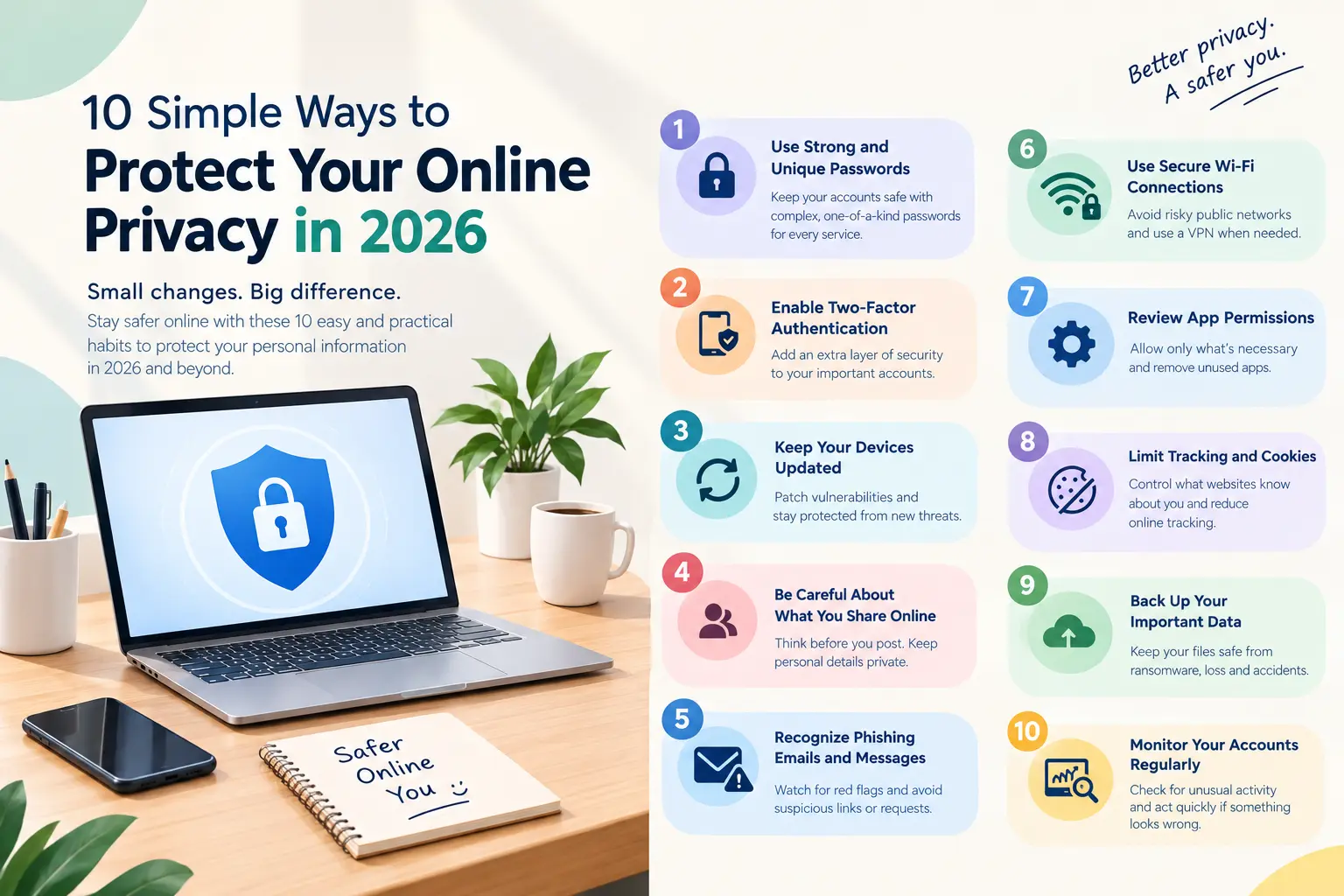
The good news is that you don’t need to be a cybersecurity expert to protect yourself. By following a few simple habits, you can improve your online security and keep your personal information safer. Here are 10 practical ways to protect your online privacy in 2026.
1. Use Strong and Unique Passwords
Using the same password across multiple websites puts your accounts at risk. If one service experiences a data breach, attackers may try that password on your other accounts.
Create a strong, unique password for every important account. A reputable password manager can help you generate and store complex passwords securely, so you don’t have to remember them all.
2. Enable Two-Factor Authentication
Two-factor authentication (2FA) adds another layer of protection to your accounts. In addition to your password, you may need an authentication app code, security key, or another verification method.
Enable this feature on your email, banking, social media, and other important accounts. Where available, passkeys or security keys can provide stronger protection against phishing.
3. Keep Your Devices Updated
Software updates often fix security vulnerabilities that attackers could exploit. Ignoring updates can leave your phone, computer, and applications exposed to known threats.
Turn on automatic updates for your operating system, browser, and regularly used applications. Remove software you no longer use, especially if it no longer receives security updates.
4. Be Careful About What You Share Online
Personal details such as your phone number, home address, birth date, and travel plans can reveal more information than you realize.
Review your social media profiles and avoid sharing sensitive information publicly. Check your privacy settings to control who can see your posts, photos, and personal details. Remember that even private posts can be copied or shared by others.
5. Recognize Phishing Emails and Messages
Cybercriminals often send fake emails, text messages, or social media messages designed to steal passwords and financial information. These messages may imitate banks, delivery companies, or familiar brands.
Check the sender’s address, watch for suspicious links, and be cautious of urgent requests for payment or account verification. Instead of clicking a link in an unexpected message, visit the organization’s official website directly.
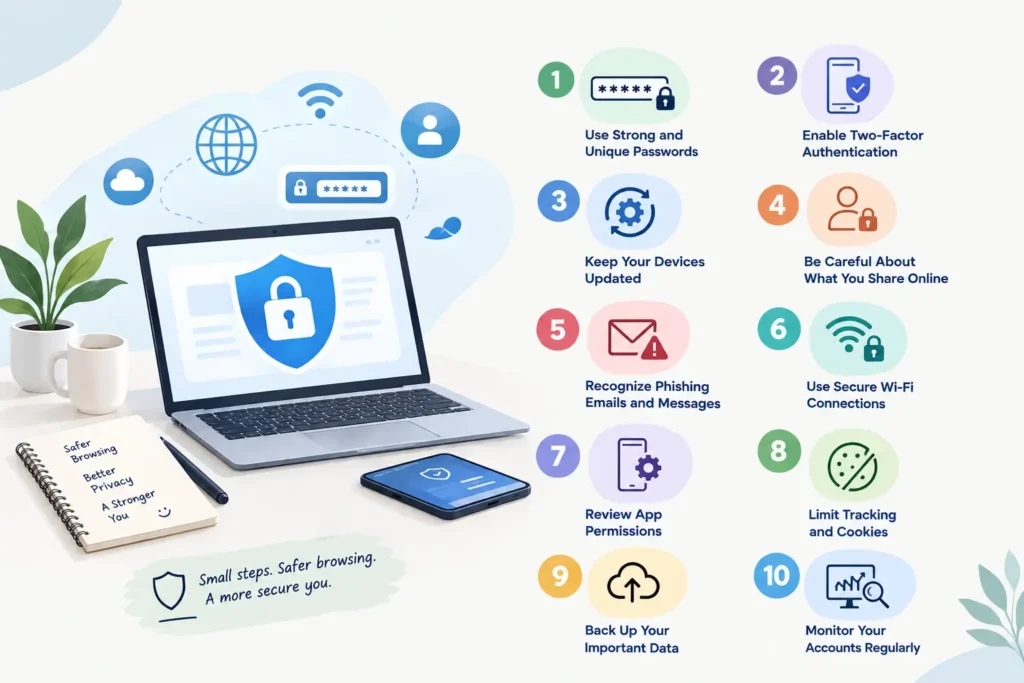
6. Use Secure Wi-Fi Connections
Public Wi-Fi networks in cafes, airports, and hotels can introduce security risks, particularly when networks are poorly configured or impersonated by attackers.
Avoid accessing sensitive accounts on unfamiliar networks when possible. Use trusted mobile data or a reputable VPN when appropriate, and make sure websites use HTTPS. A VPN can protect some network traffic, but it does not make you completely anonymous online.
7. Review App Permissions
Many apps request access to your location, camera, microphone, contacts, or photos. Some permissions may be unnecessary for the app’s main purpose.
Regularly review app permissions in your device settings. Allow access only when needed, and choose options such as “While Using the App” for location access whenever practical. Delete applications you no longer use.
8. Limit Tracking and Cookies
Websites and advertising networks may use cookies and other technologies to track browsing activity. You can reduce some tracking by adjusting your browser’s privacy settings.
Block third-party cookies where supported, clear unnecessary browsing data, and consider reputable tracking-protection extensions. Review cookie consent options carefully instead of automatically accepting every request.
9. Back Up Your Important Data
Privacy protection also involves keeping your personal files safe from ransomware, device failure, and accidental deletion.
Back up important documents, photographs, and other files to a secure cloud service or external drive. Use strong account protection and encrypt sensitive backups when possible. Periodically test that you can restore your files successfully.
10. Monitor Your Accounts Regularly
Check your bank statements, email security alerts, and account login activity for unfamiliar transactions or suspicious access. If a service reports a data breach, change the affected password and any other password that was reused.
If you suspect an account has been compromised, secure your email first, change affected credentials, revoke unfamiliar sessions, and contact your bank if financial information may be at risk.
Conclusion
Protecting your online privacy doesn’t require complicated technical knowledge. Strong passwords, two-factor authentication, software updates, careful browsing, and regular privacy checks can significantly reduce common online risks.
Start with one or two changes today, then gradually build safer digital habits. By staying informed and thinking carefully about what you share, you can enjoy the benefits of technology while keeping your personal information better protected.
Stay connected with TheProHub for more practical technology guides, cybersecurity tips, and digital safety advice.